
EnglishRequest a demo
kNODE HMIS · Hospital Management Information System

The whole hospital,
on one connected
platform.

From the front desk to the ICU, from the pharmacy to the payroll: kNODE brings 18 modules and 277 features together on one core, with India’s ABDM network built in. Start with what you need today, and add modules as you grow.

Book a demoWatch the tour
  • All 18 modules live today
  • ABDM in every edition
  • Cloud or on-premise
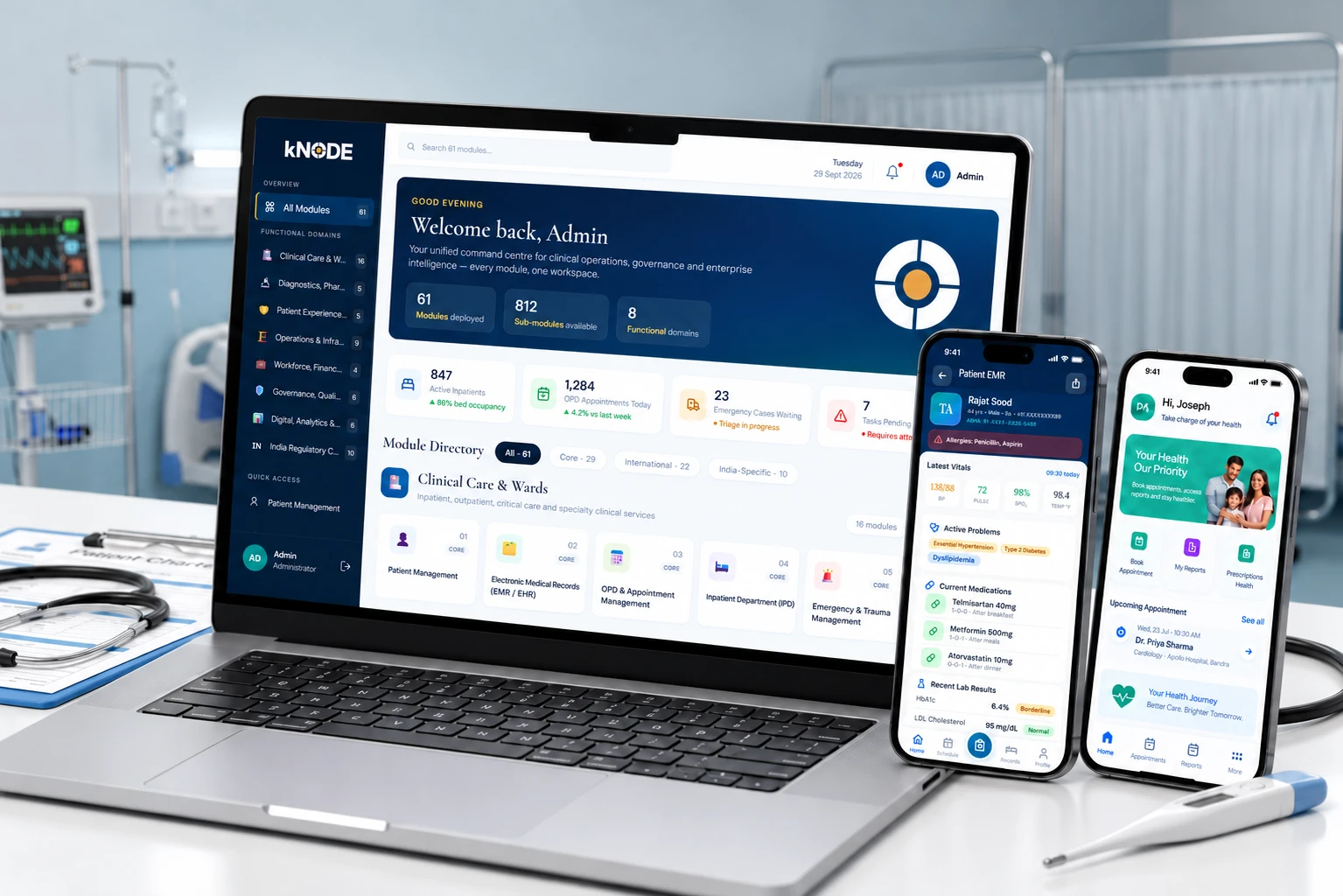
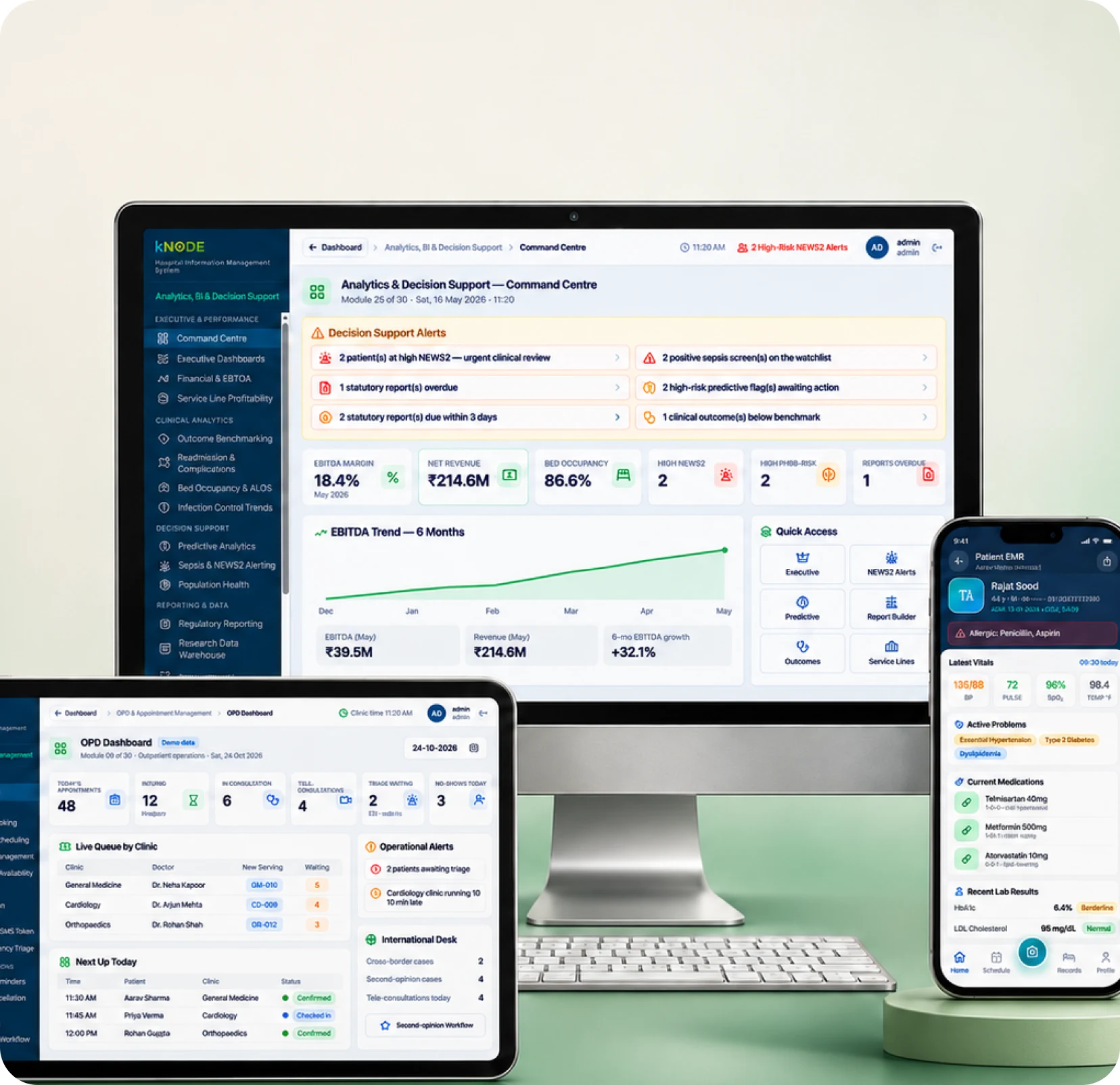
kNODE on a laptop and two phones in a hospital ward

Trusted by

  • [Customer logo]
  • [Customer logo]
  • [Customer logo]
  • [Customer logo]
  • [Customer logo]
Product tour

See kNODE at work in a hospital day.

A short film that follows one patient from registration to discharge, and the staff who care for them along the way.

Video

kNODE product tour

Recommended: 2–3 minutes · 1920 × 1080 · MP4 with captions

  1. 0:00Registration with ABHA
  2. 0:30Consultation and EMR
  3. 1:00Lab, imaging and pharmacy
  4. 1:30Admission, OT and ICU
  5. 2:00Billing, claims and discharge
Platform architecture

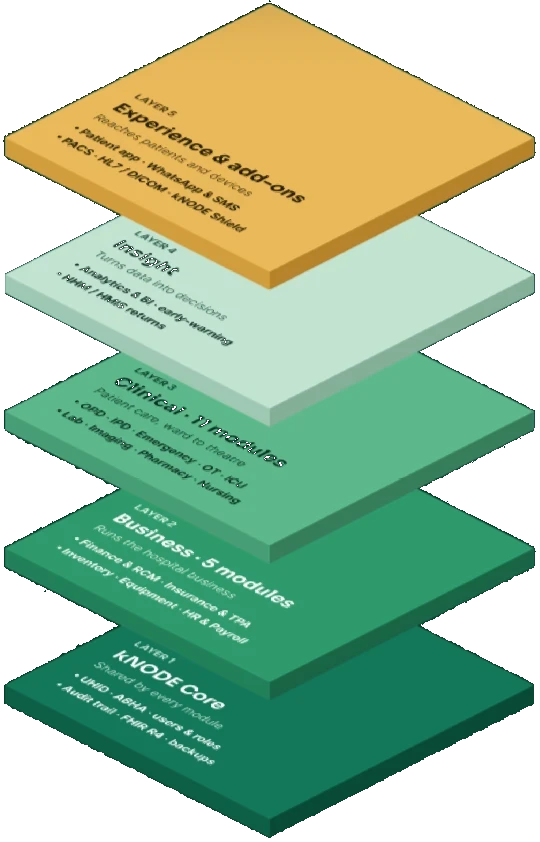
One core. 18 modules. Five layers.

Every kNODE product sits on the same core, so patient records, users and audit trails are shared across every module you add.

  1. Layer 5

    Experience & add-ons

    Patient app · WhatsApp & SMS · PACS storage · HL7 / DICOM interfaces · kNODE Shield

  2. Layer 4

    Insight

    Analytics, BI & decision support · early-warning · NHM / HMIS returns

  3. Layer 3

    Clinical modules (11)

    Patient care from OPD and emergency to OT, ICU, lab, imaging, pharmacy and nursing

  4. Layer 2

    Business modules (5)

    Finance & RCM · Insurance & TPA · Inventory · Medical equipment · HR & Payroll

  5. Layer 1

    kNODE Core

    Patient master & UHID · users & roles · audit trail · ABDM / ABHA · FHIR R4 · backups

  • One patient record

    UHID and ABHA link every visit, order and bill.

  • Add modules any time

    Each module switches on without a new system.

  • Open standards

    FHIR R4, HL7 and DICOM for clinical data exchange.

  • Same core everywhere

    From a 10-bed clinic to a multi-country group.

Patient journey

One patient. Seven steps. One record.

Information entered once follows the patient through every department, so staff spend their time on care, not paperwork.

  1. 1

    Arrive

    Registration, UHID and ABHA

    M01 · M18

  2. 2

    Consult

    OPD queue, EMR and e-prescription

    M03 · M02

  3. 3

    Diagnose

    Lab samples and imaging

    M08 · M09

  4. 4

    Treat

    Admission, OT, ICU and nursing

    M04 · M06 · M07 · M11

  5. 5

    Medicines

    Prescription-linked dispensing

    M10

  6. 6

    Bill & claim

    Billing, insurance and NHCX

    M13 · M14

  7. 7

    Go home

    Discharge summary shared via ABHA

    M02 · M18

All 18 modules

Every department, covered.

Each module has its own SKU and can be added on its own. kNODE Core comes with every product. Here are the highlights of each module; your demo covers every feature.

kNODE Core Included in every product

  • Front-desk registration screen with ABHA

    KN-M01Core

    Patient Management

    One record for every patient, from first visit onwards.

    • UHID registration and patient master
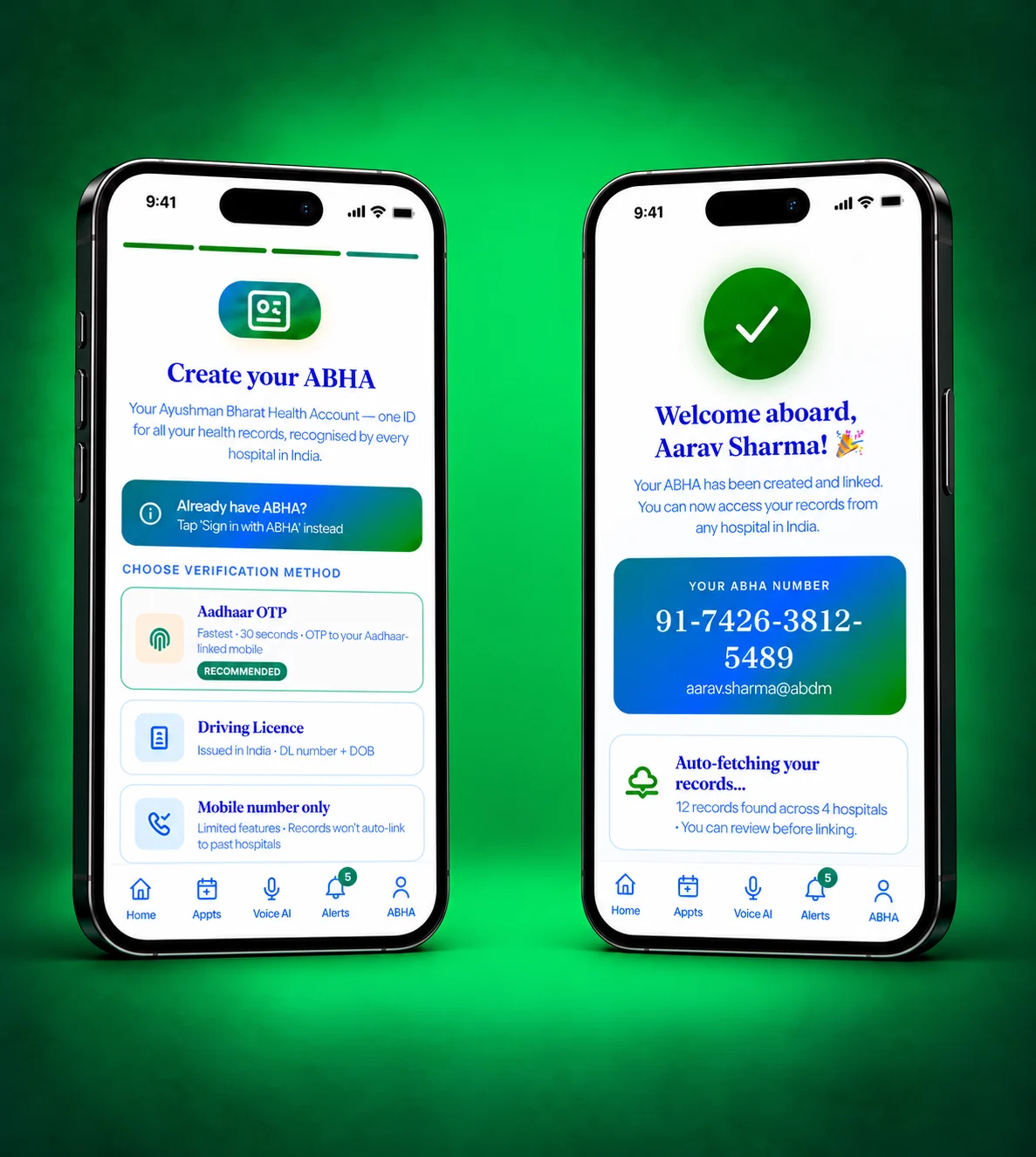
    • ABHA creation and linking at the front desk
    • Duplicate checks and record merging
    • Consent capture and document upload
    • Complete visit history on one timeline

    14featuresNeeds: Included in every product

  • Patient scanning a QR code to share ABHA

    KN-M18Core (India)

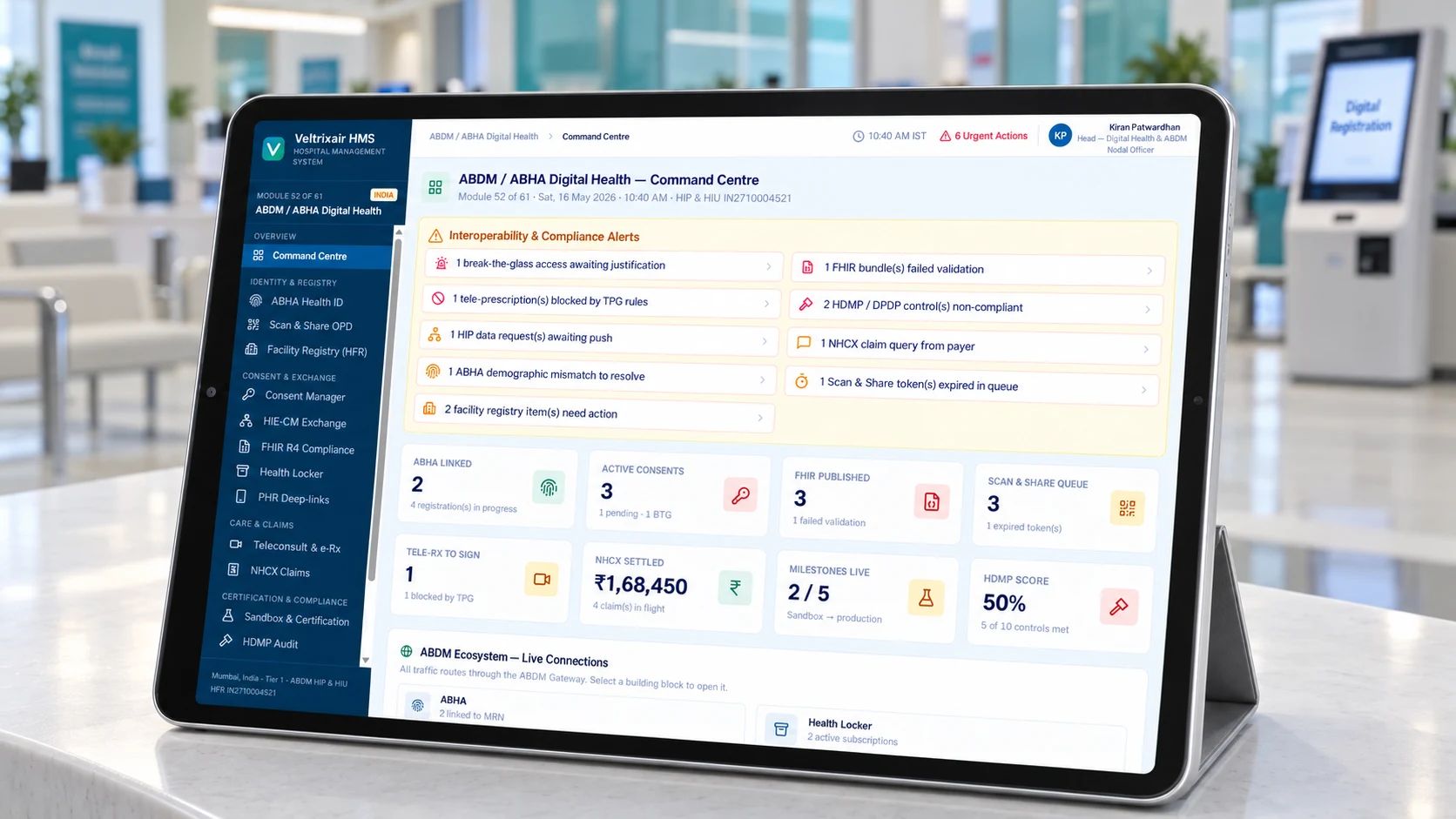
    ABDM / ABHA Digital Health Ecosystem

    India’s digital health network, built in.

    • ABHA creation and verification
    • Scan & Share registration
    • Sharing records as a health information provider
    • Consent-based record requests
    • Facility and professional registry links

    12featuresNeeds: Included in every product · also standalone

Clinical modules 11 modules for patient care

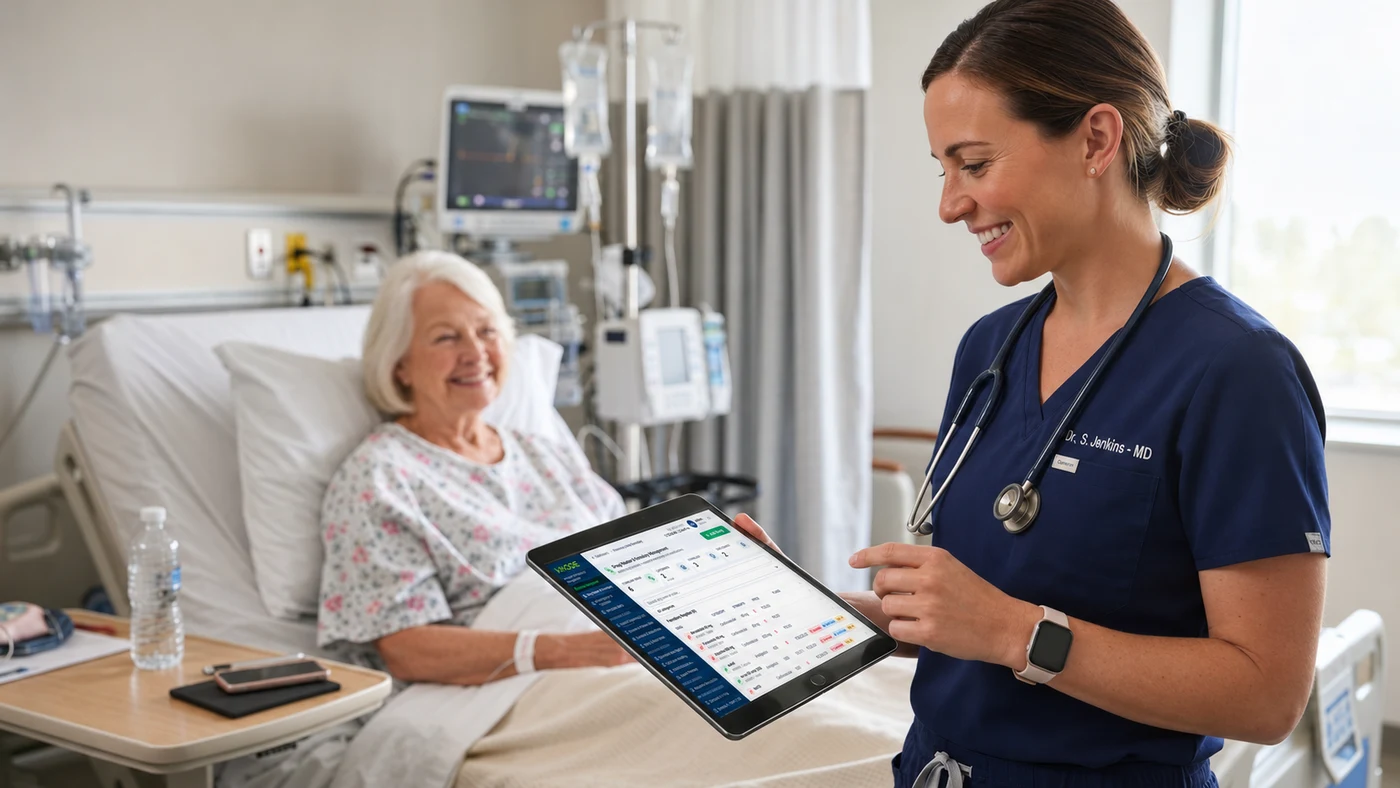
  • Doctor viewing the EMR on a tablet

    KN-M02Clinical

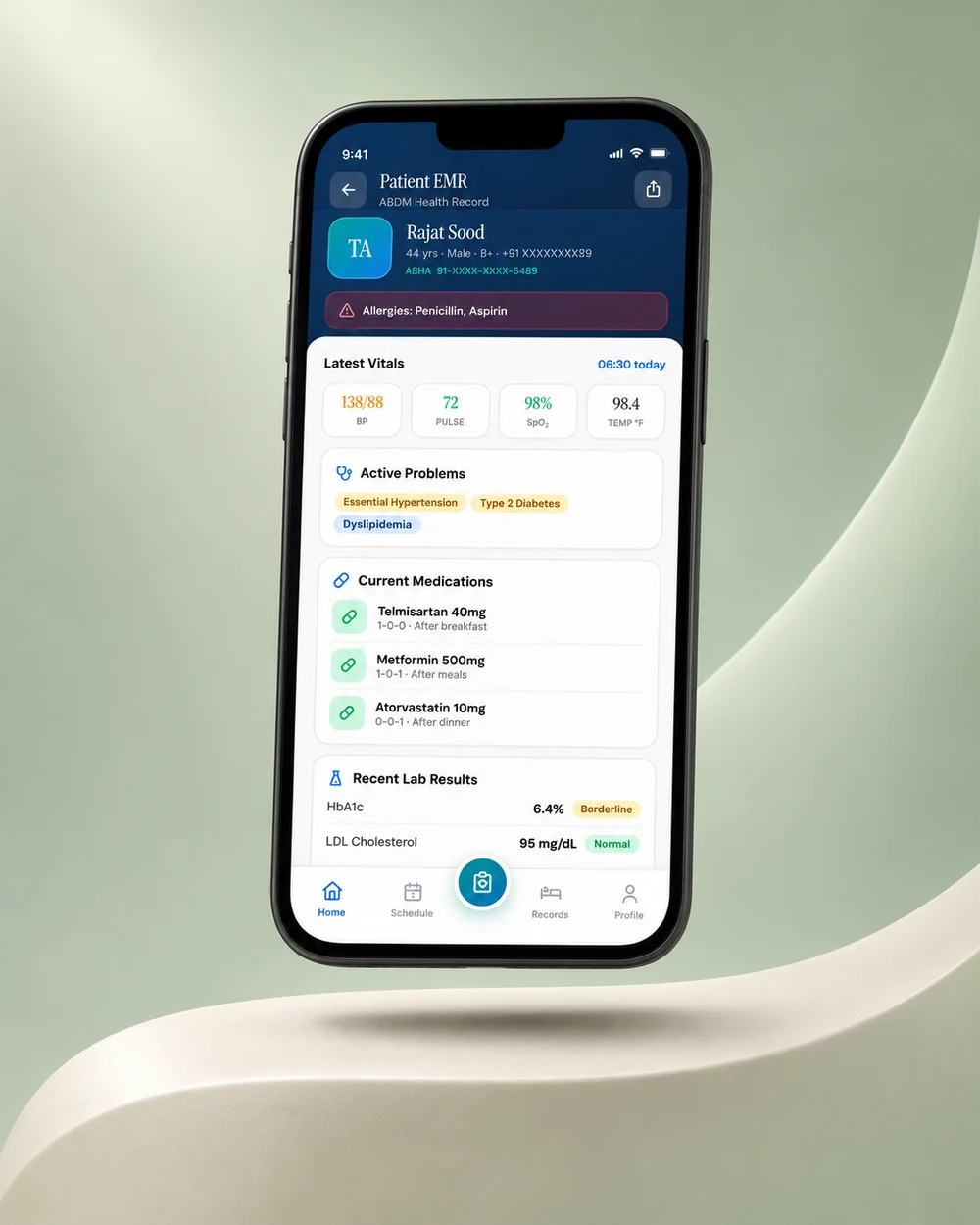
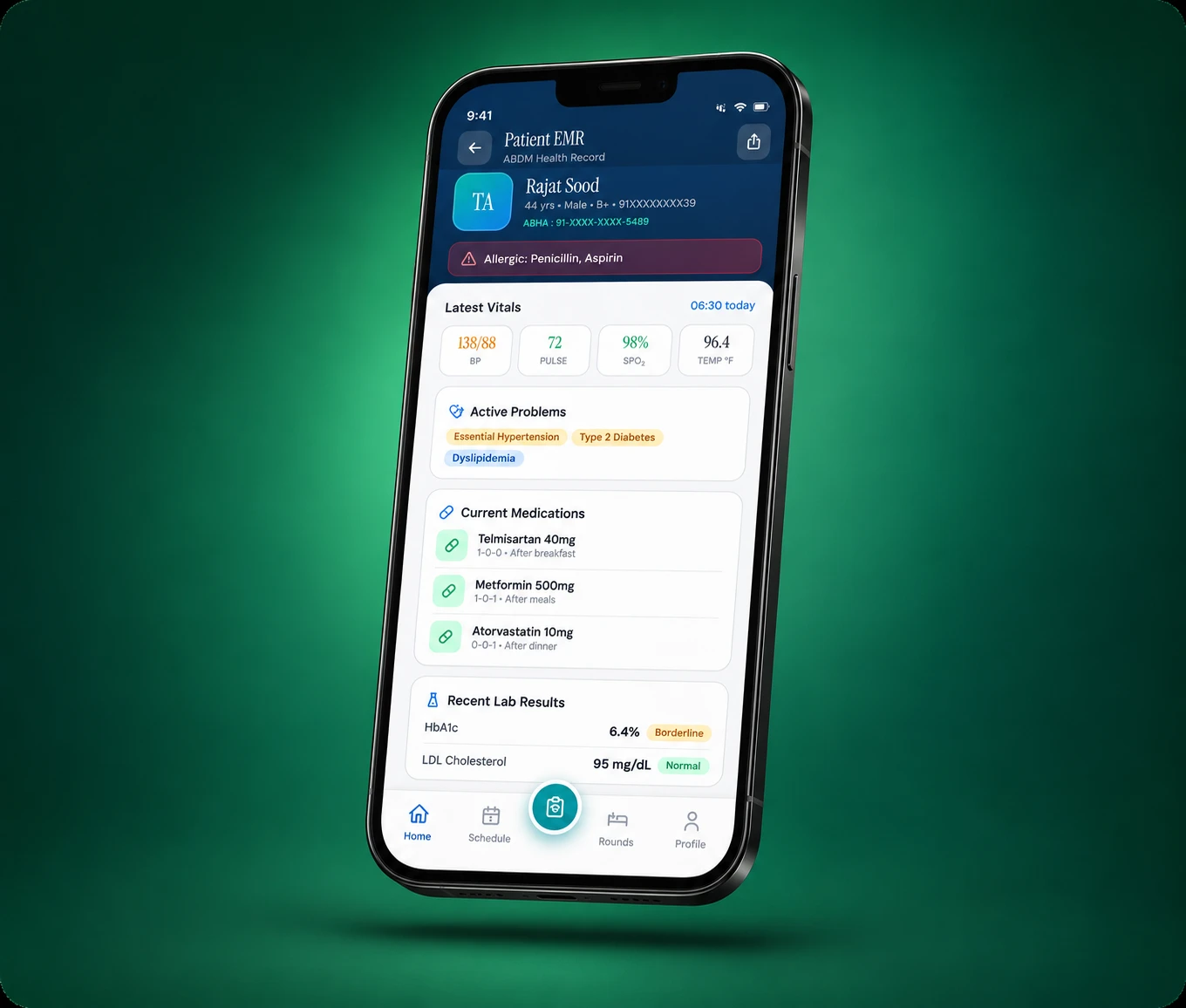
    Electronic Medical Records (EMR / EHR)

    Clinical notes doctors actually like to use.

    • Specialty templates for structured notes
    • e-Prescriptions with allergy and interaction alerts
    • Problem list, vitals and allergies at a glance
    • Lab and imaging orders straight from the note
    • Discharge summaries and ICD-10 coding

    16featuresNeeds: Core

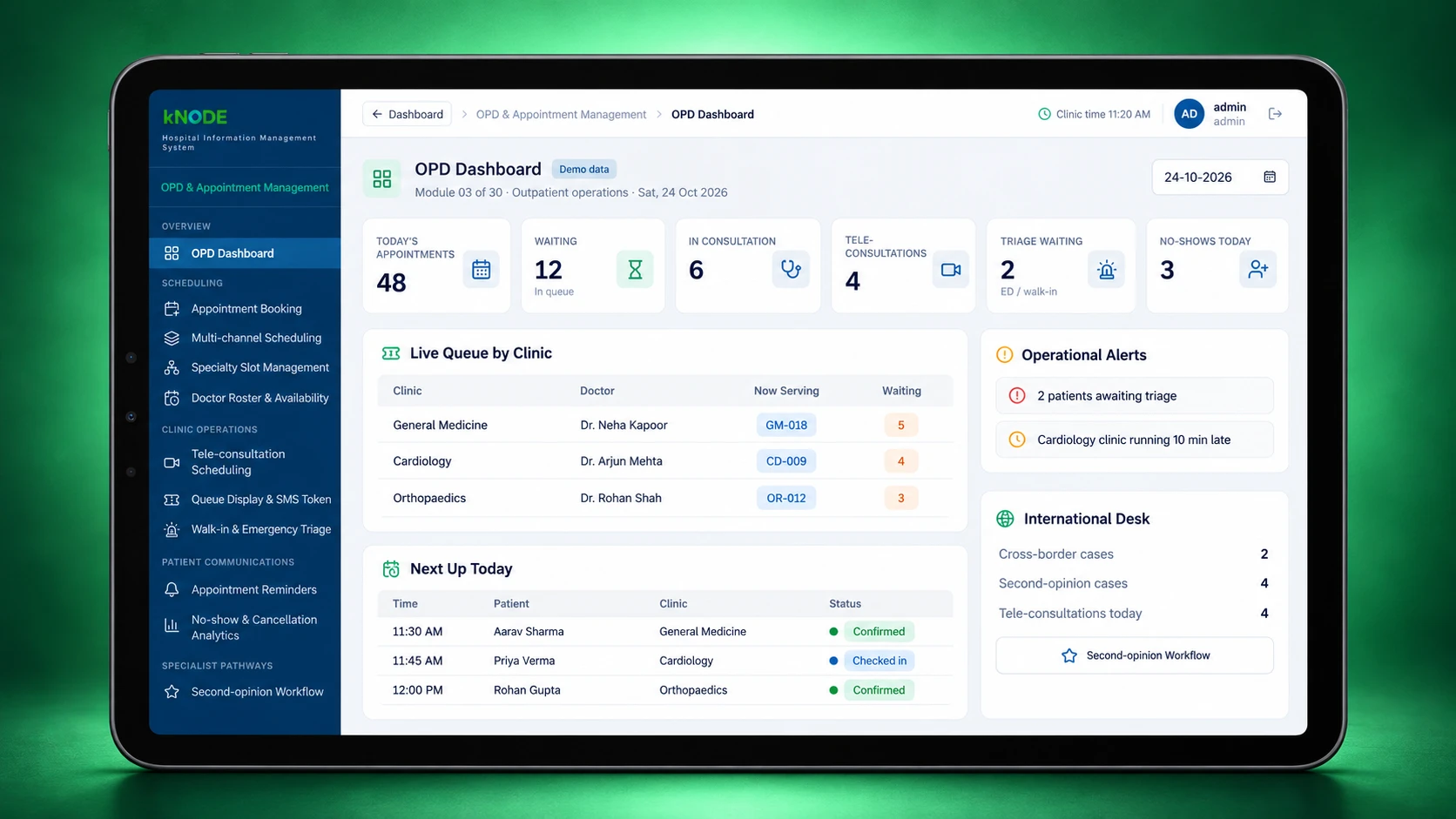
  • OPD queue display in a waiting area

    KN-M03Clinical

    OPD & Appointment Management

    Shorter queues and fuller clinics.

    • Online, phone and walk-in appointments
    • Doctor schedules and slot management
    • Queue tokens and waiting-area display
    • Consultation billing at the counter
    • Follow-up and appointment reminders

    14featuresNeeds: Core

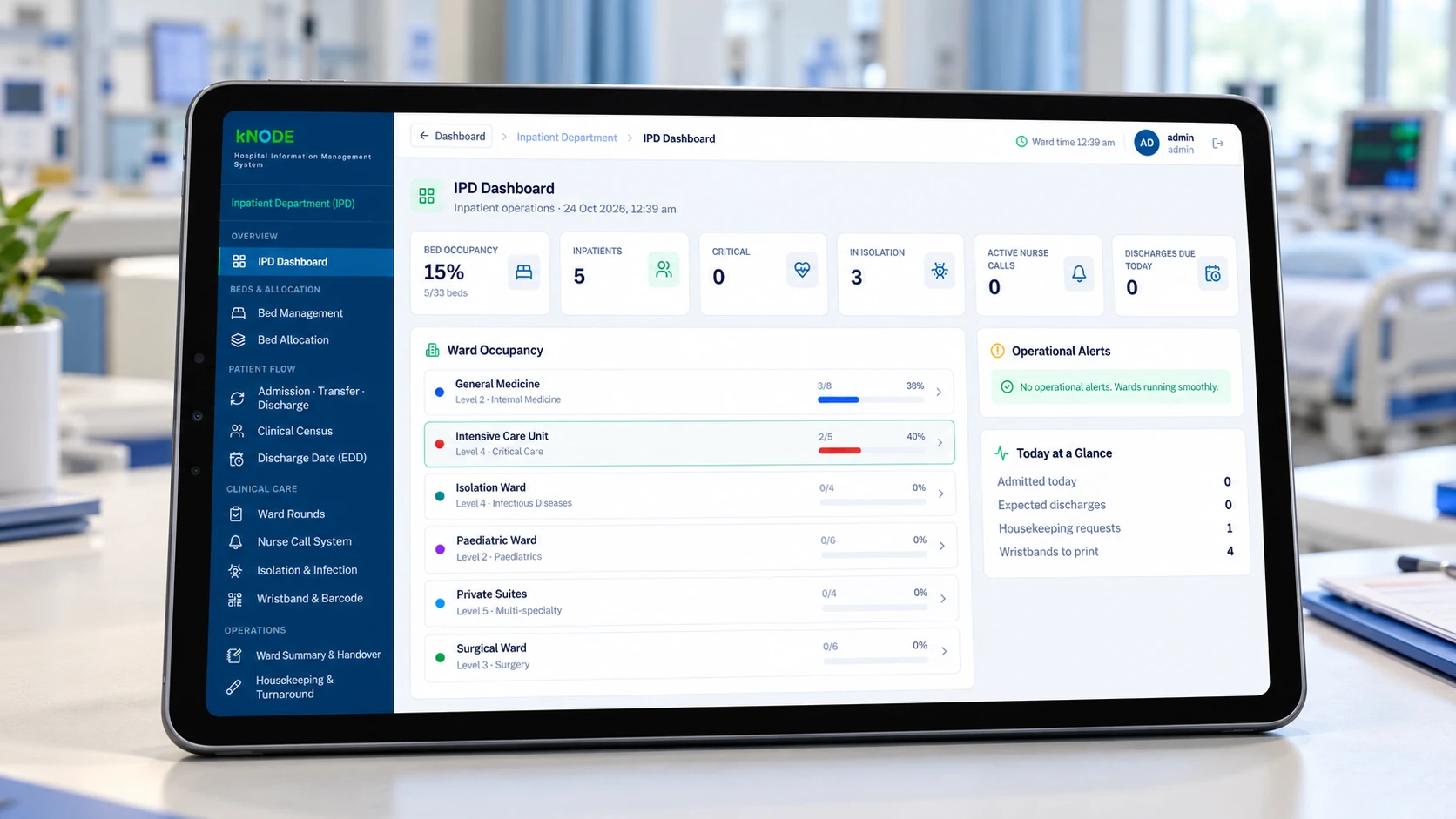
  • Ward bed board on a large screen

    KN-M04Clinical

    Inpatient Department (IPD)

    Every admission, bed and transfer in view.

    • Admission, transfer and discharge workflow
    • Live bed board by ward and category
    • Doctor rounds, orders and progress notes
    • Running bill and deposits for each stay
    • Discharge planning and checklists

    13featuresNeeds: Core

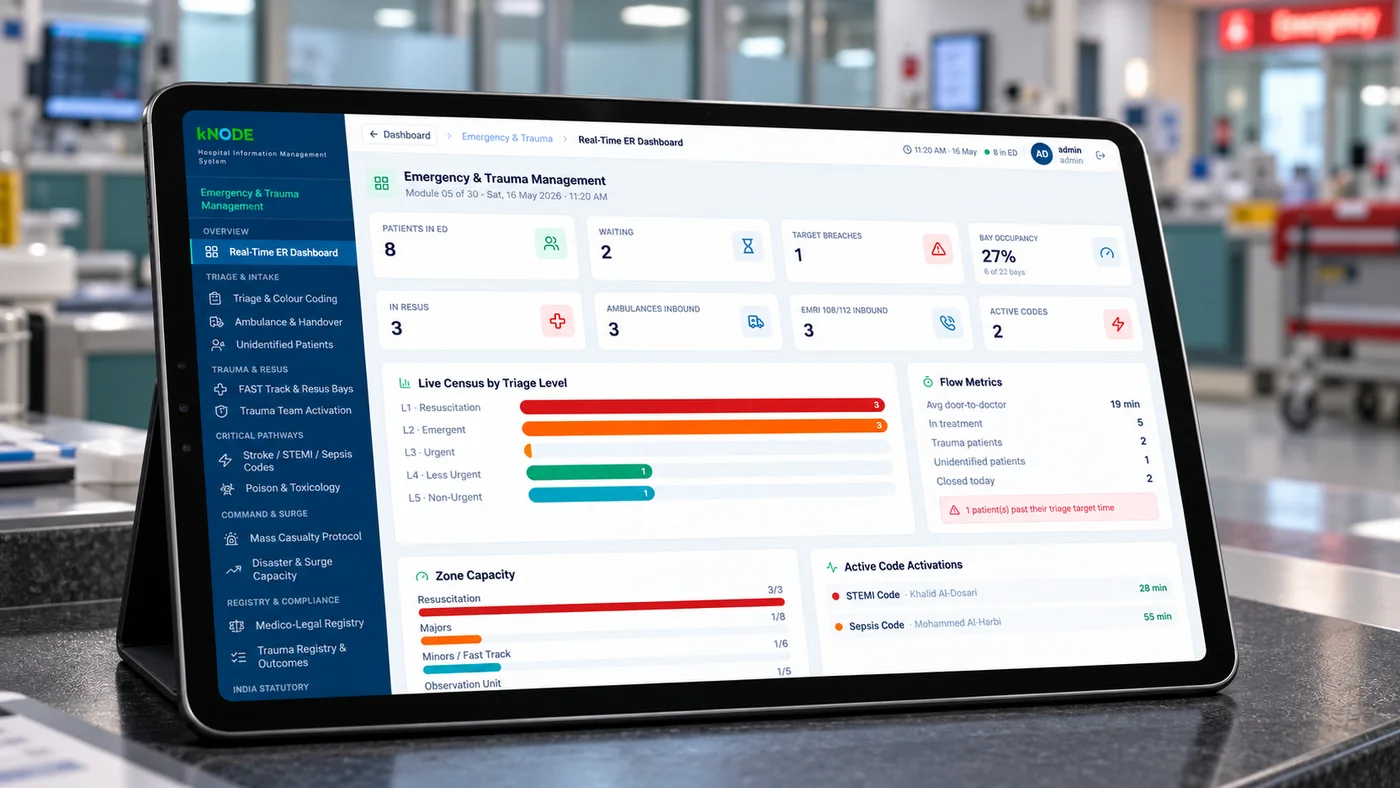
  • Emergency triage desk

    KN-M05Clinical

    Emergency & Trauma Management

    Fast, safe care in the first golden hour.

    • Triage with acuity levels
    • Quick registration for unidentified patients
    • Medico-legal case (MLC) records
    • Emergency orders and observation charting
    • Handover to IPD, OT or ICU

    13featuresNeeds: Core, M02

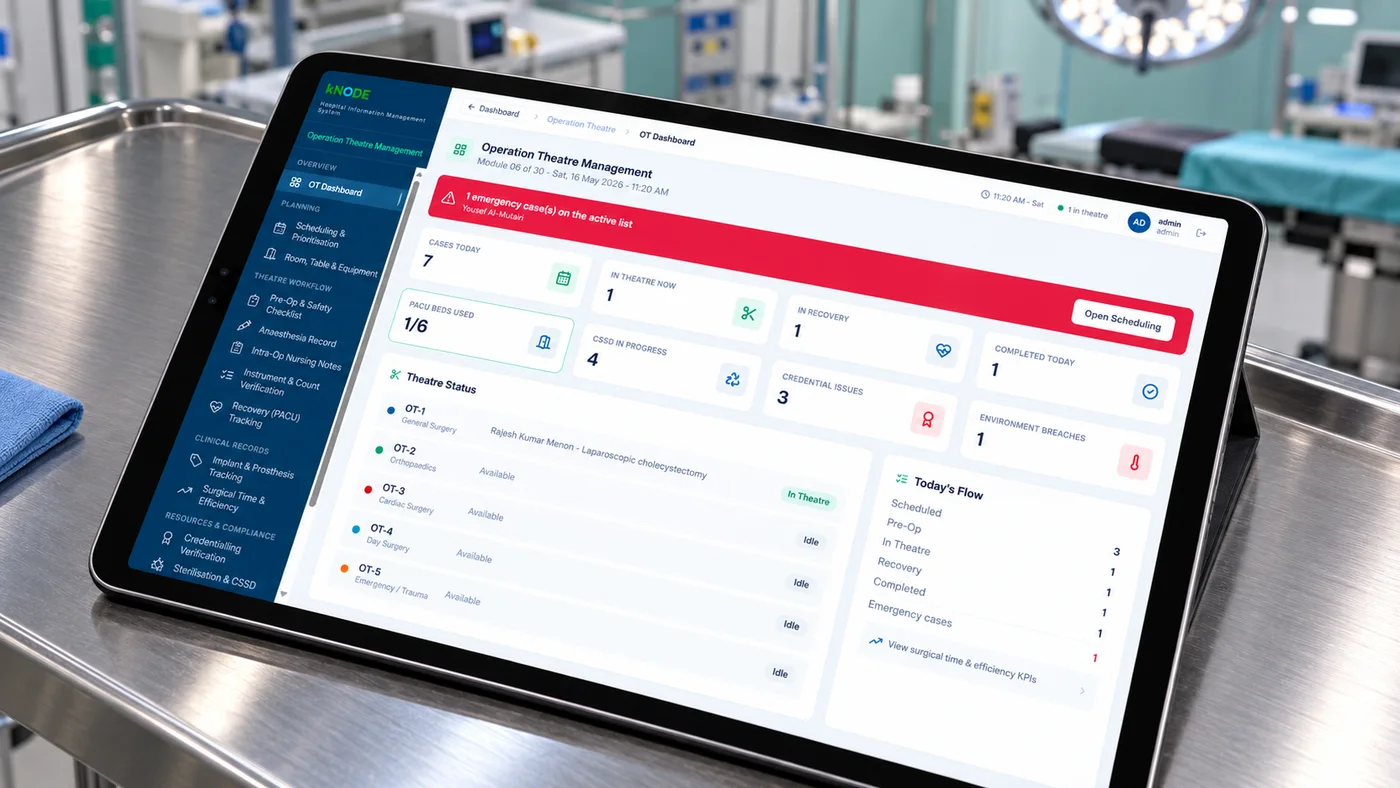
  • OT schedule board and surgical team

    KN-M06Clinical

    Operation Theatre (OT) Management

    Theatres scheduled, checked and accounted for.

    • OT calendar and theatre scheduling
    • Pre-operative checklists and consent
    • Surgical safety checklist
    • Anaesthesia and surgery notes
    • Implant and consumable tracking

    13featuresNeeds: M04

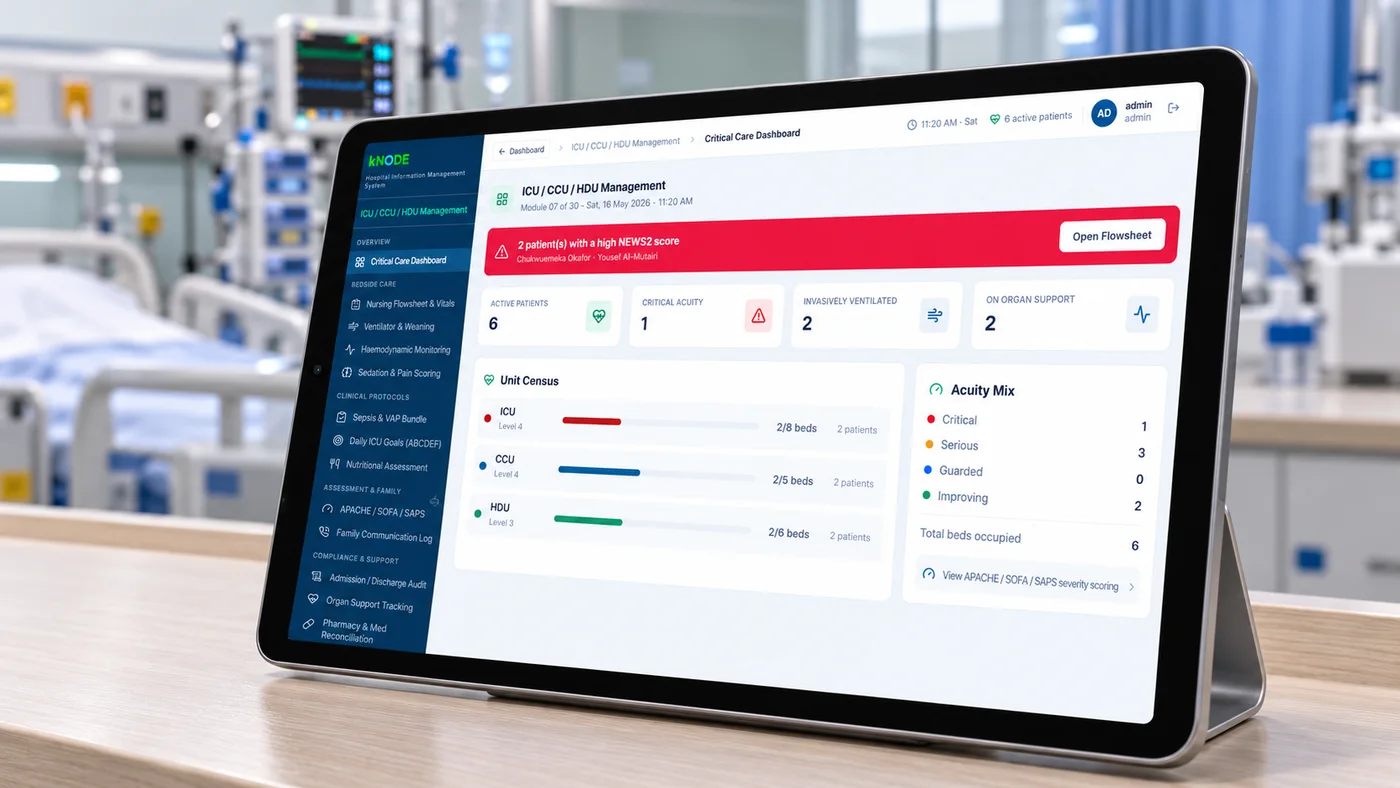
  • ICU bedside charting screen

    KN-M07Clinical

    ICU / CCU / HDU Management

    Critical-care charting at the bedside.

    • Bedside flow sheets and hourly charting
    • Readings from monitors and ventilators
    • Early-warning scores (Professional and above)
    • Fluid balance and infusion records
    • Structured ICU handovers

    12featuresNeeds: M04

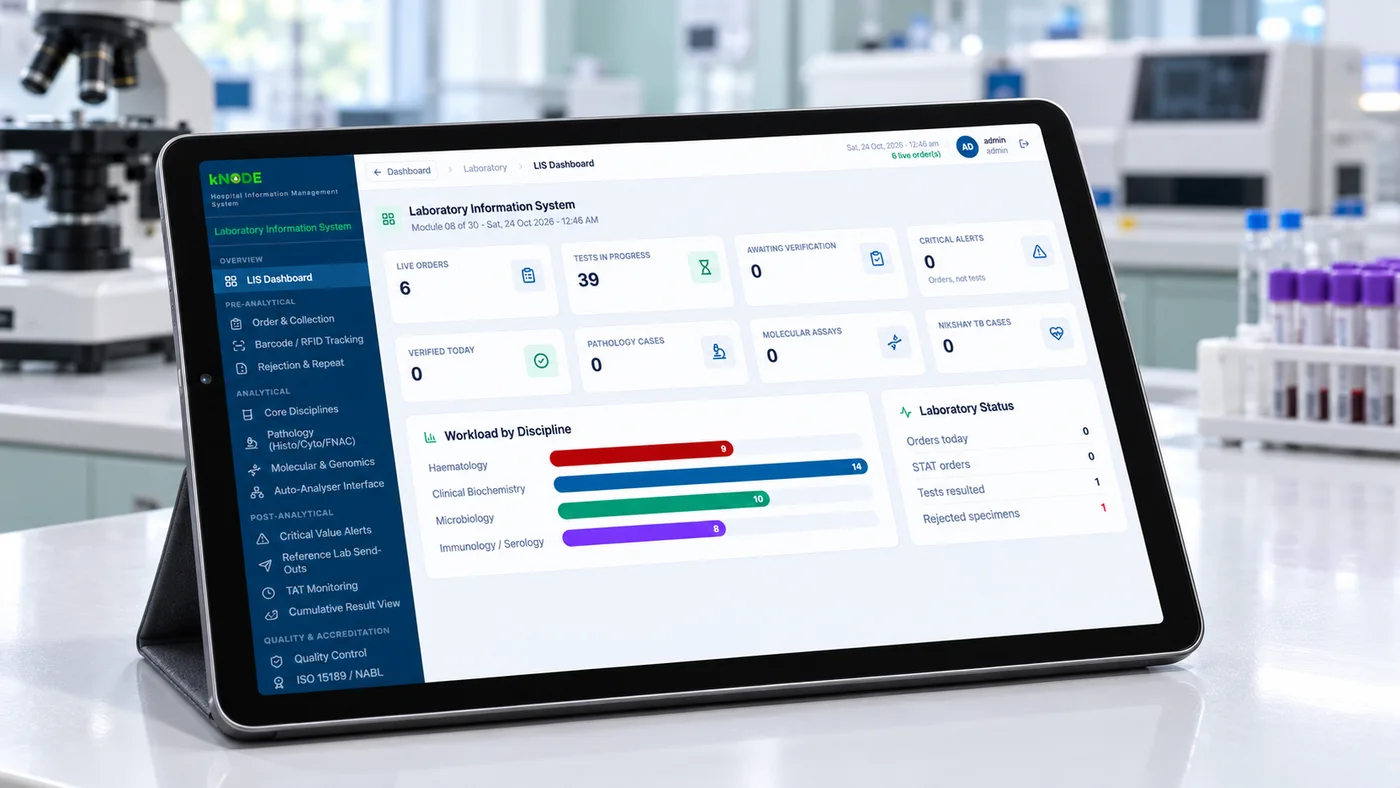
  • Lab technician scanning a barcoded sample

    KN-M08Clinical

    Laboratory Information System (LIS)

    From sample to signed report, tracked.

    • Sample collection and barcode labels
    • Analyser interfaces
    • Result validation and authorisation
    • Reference ranges and delta checks
    • Quality control records

    16featuresNeeds: Core · also standalone

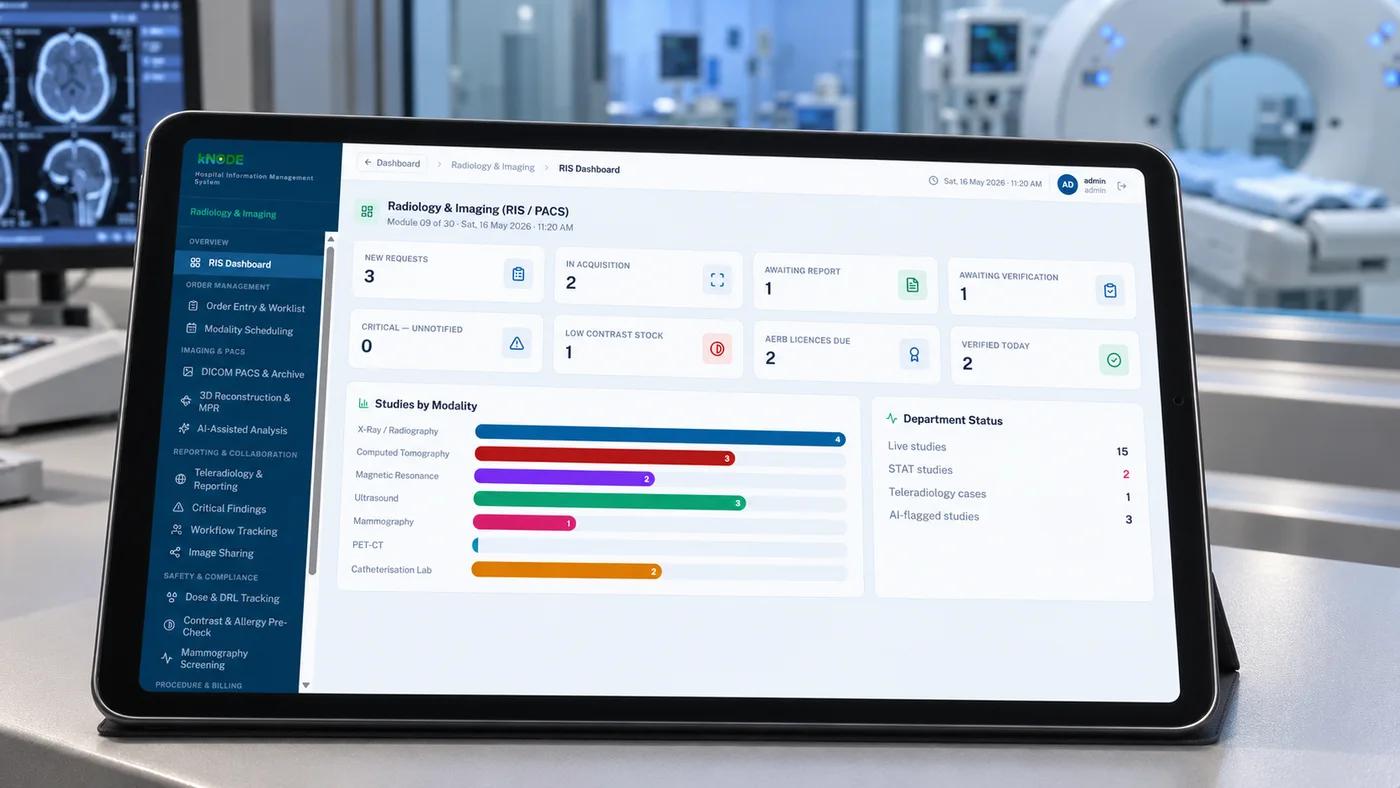
  • Radiologist reading a scan in PACS

    KN-M09Clinical

    Radiology & Imaging (RIS / PACS)

    Images and reports together, for every clinician.

    • Modality worklists
    • DICOM image storage and viewer
    • Radiologist reporting templates
    • Image and report sharing with clinicians
    • Report delivery to patients

    16featuresNeeds: Core · also standalone

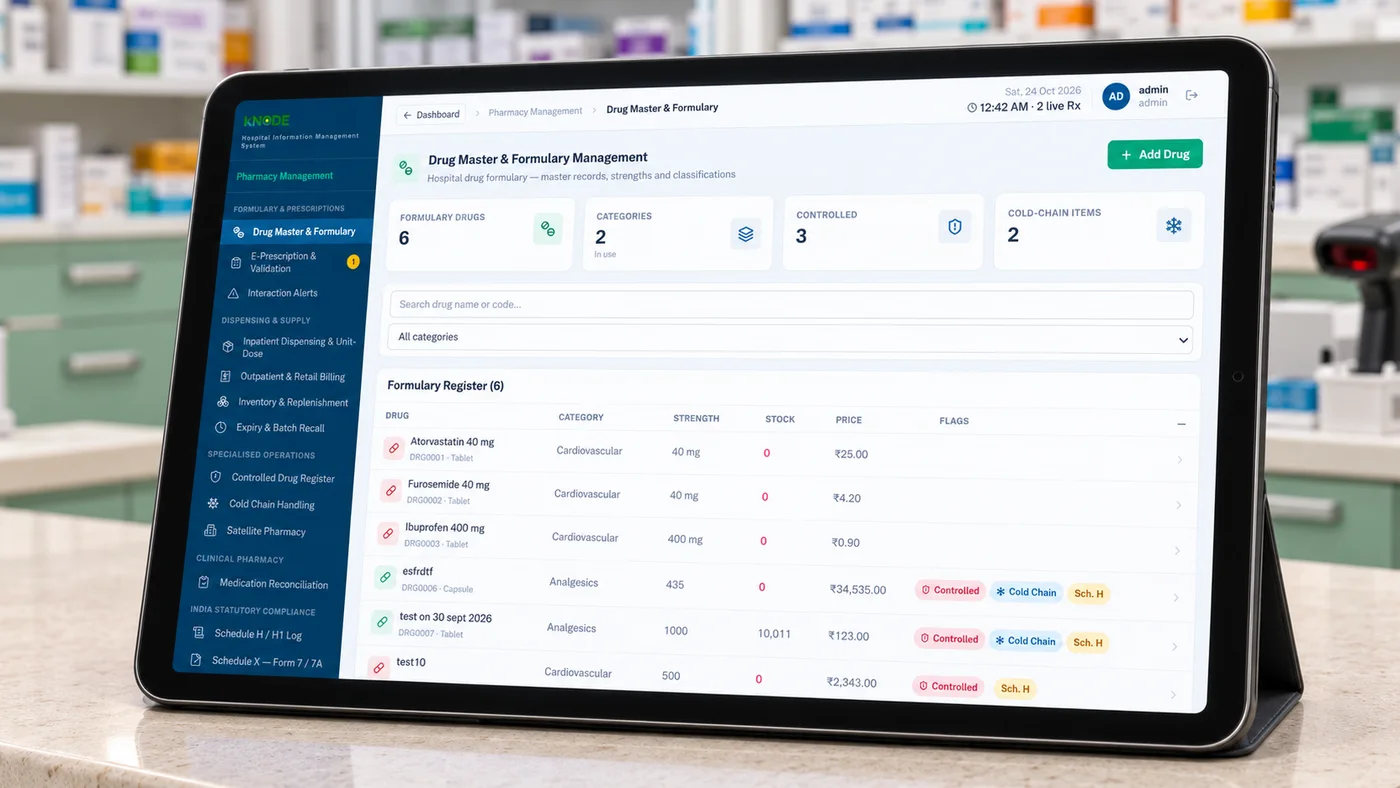
  • Pharmacist dispensing at the counter

    KN-M10Clinical

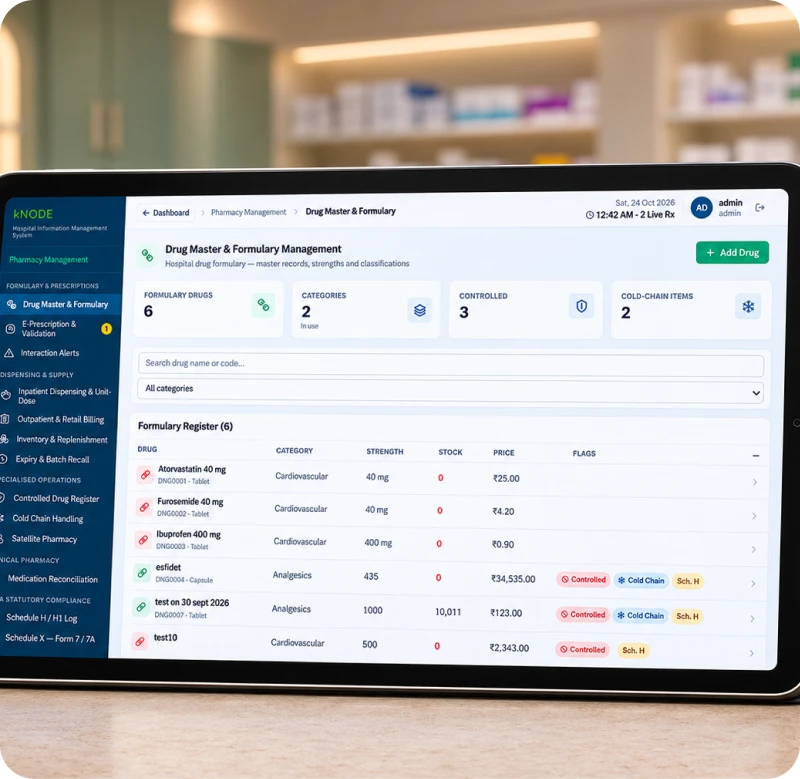
    Pharmacy Management

    The right medicine, in stock and in date.

    • Drug master and hospital formulary
    • Batch and expiry tracking
    • Prescription-linked dispensing
    • Inpatient and outpatient pharmacy
    • Controlled-drug registers

    19featuresNeeds: Core · also standalone

  • Nurse recording vitals at the bedside

    KN-M11Clinical

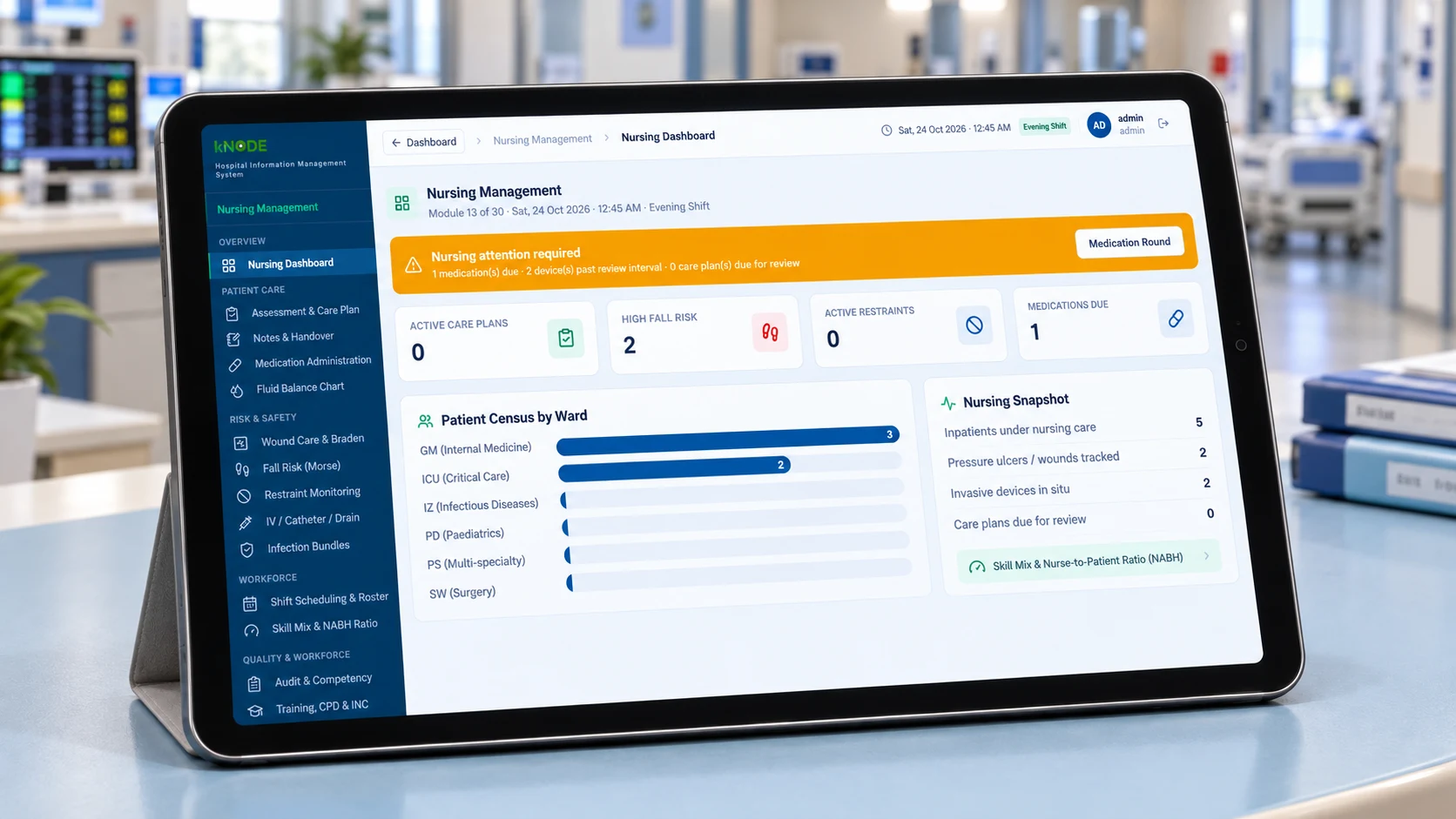
    Nursing Management

    Nursing work, planned and recorded.

    • Nursing assessments and care plans
    • Medication administration record
    • Vitals and observation charting
    • Shift handover notes
    • Task lists by ward and shift

    13featuresNeeds: M04

Business modules 5 modules to run the hospital

  • HR team planning duty rosters

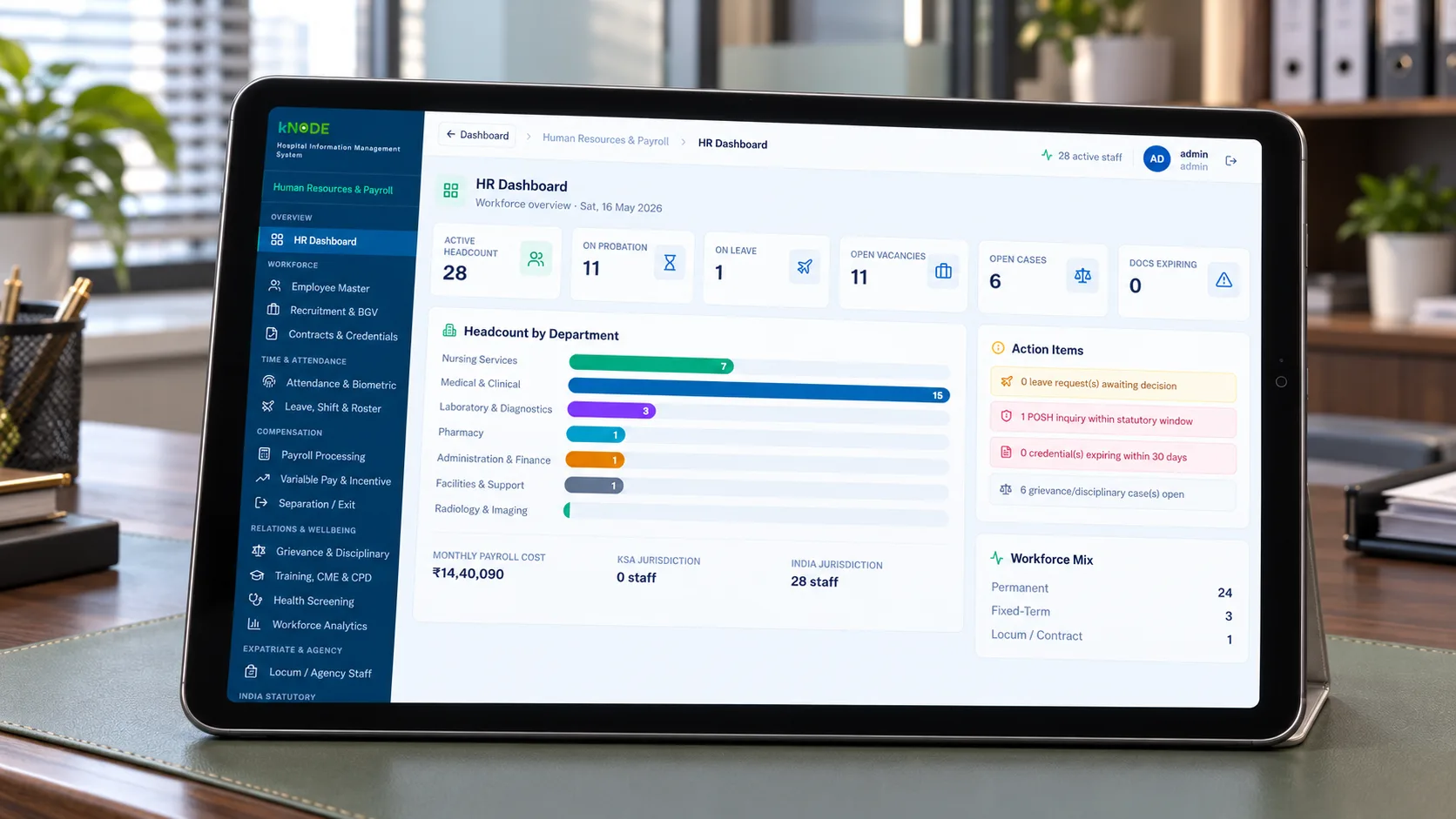
    KN-M12Business

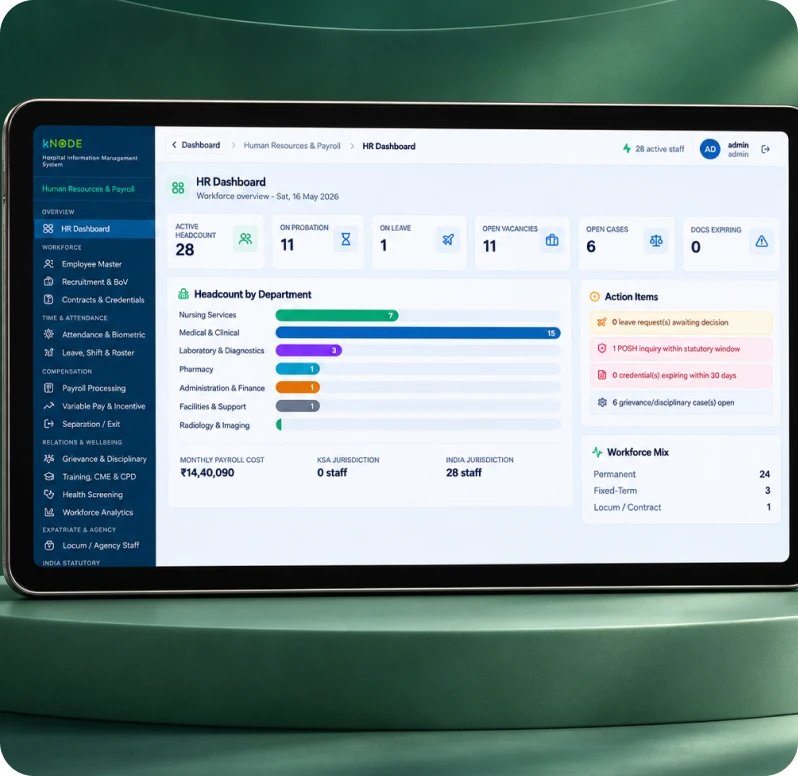
    Human Resources & Payroll

    Staff, shifts and payroll in one place.

    • Staff records, registrations and licences
    • 24×7 shift rosters
    • Attendance, including biometric devices
    • Leave requests and balances
    • Payroll with statutory deductions and payslips

    20featuresNeeds: None · runs on its own as kNODE People

  • Billing counter with finance dashboard

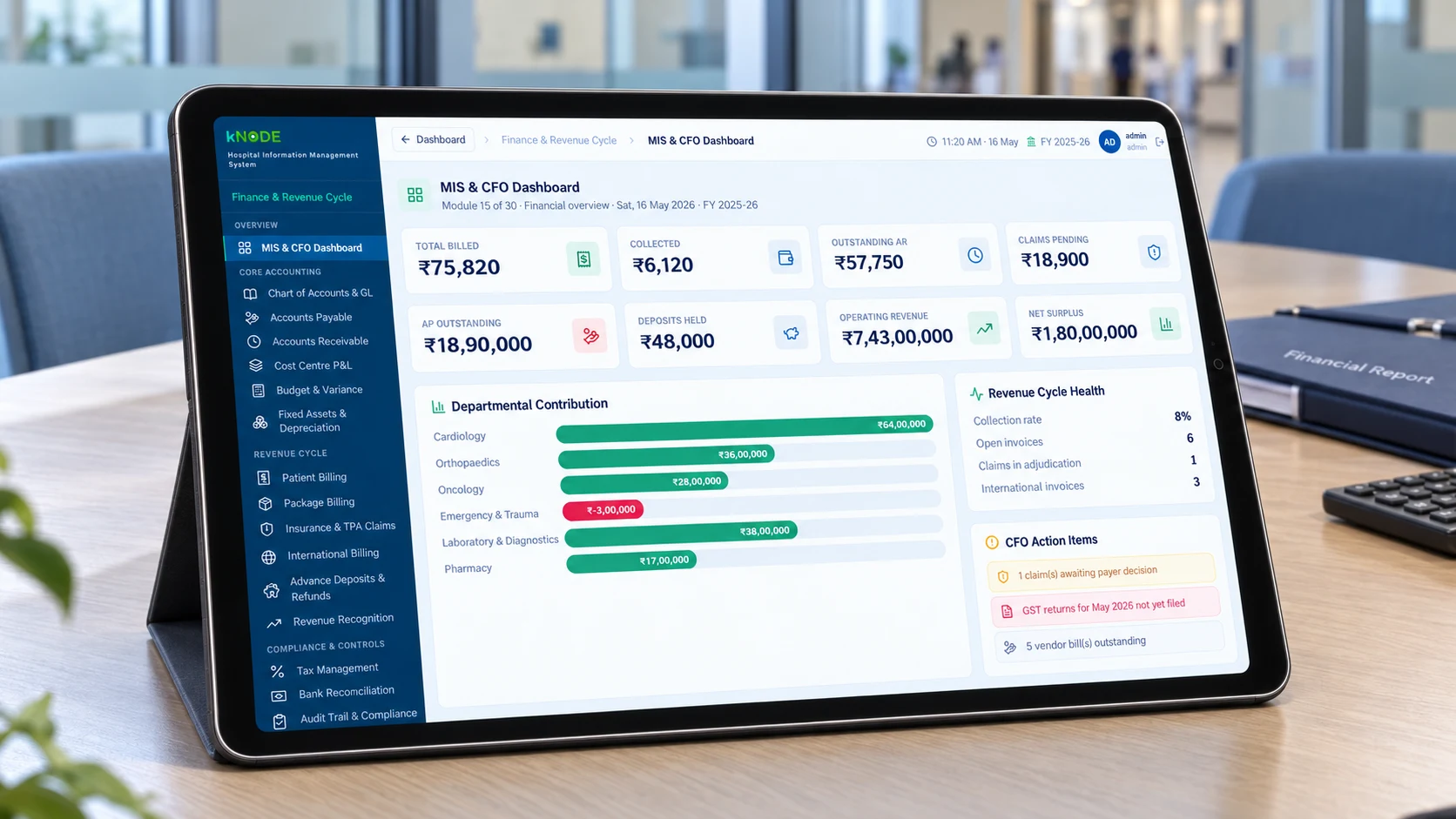
    KN-M13Business

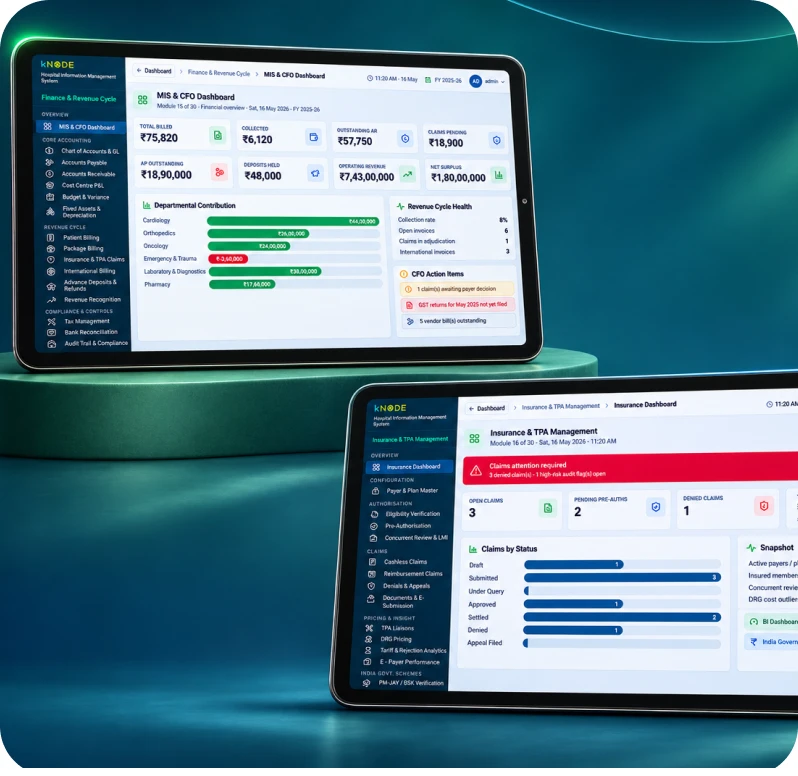
    Finance & Revenue Cycle Management

    Every service billed, every rupee accounted for.

    • Tariffs, packages and patient billing
    • GST-ready invoices and receipts
    • Refunds, credits and approvals
    • Receivables and collections tracking
    • Doctor revenue-share calculations

    23featuresNeeds: Core

  • Insurance desk reviewing a pre-authorisation

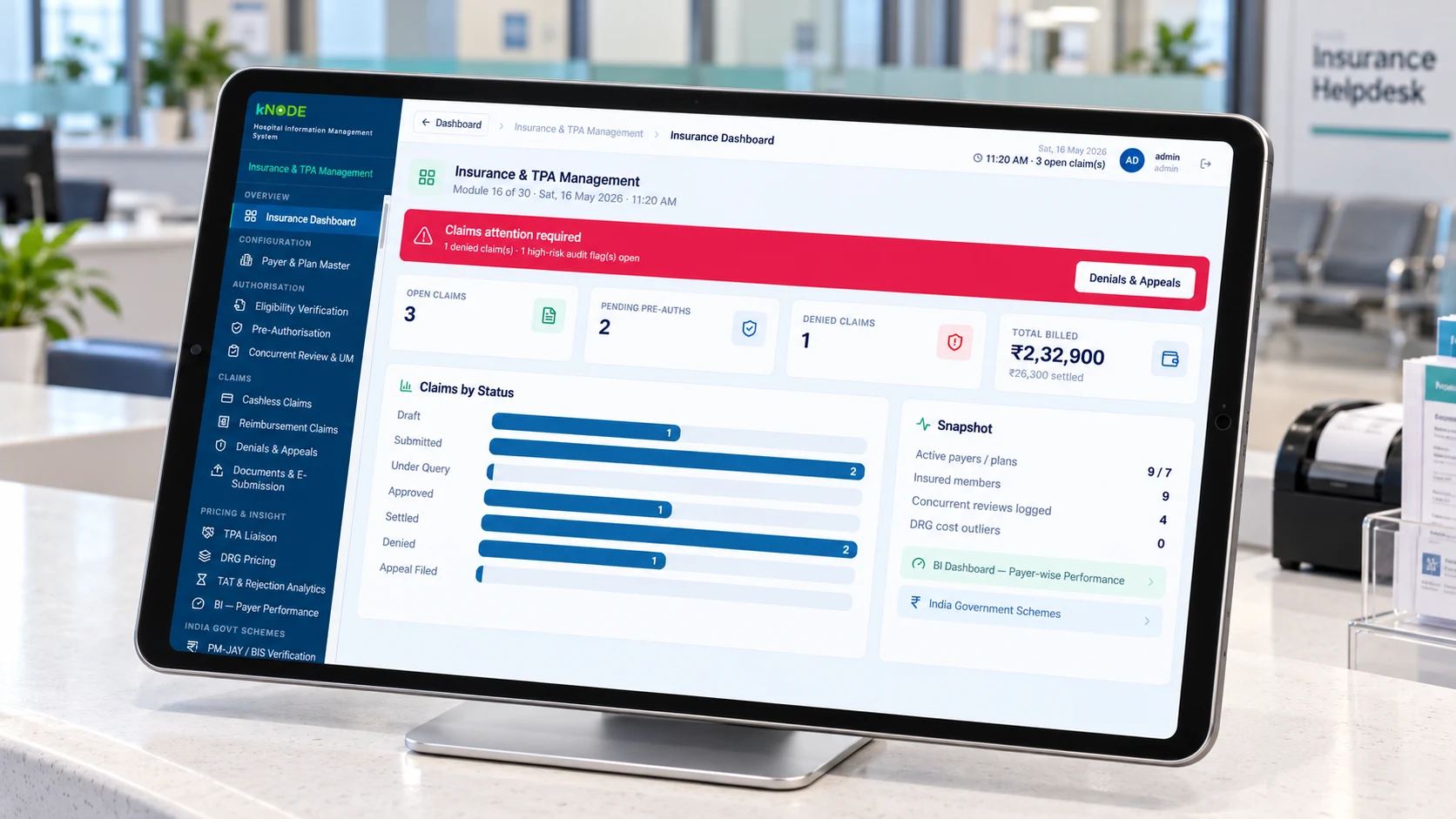
    KN-M14Business

    Insurance & TPA Management

    Claims filed right, paid faster.

    • Pre-authorisation requests
    • PM-JAY and state health schemes
    • NHCX claim submission
    • Claim tracking, queries and denials
    • Settlement reconciliation

    18featuresNeeds: M13 · also standalone (Claims)

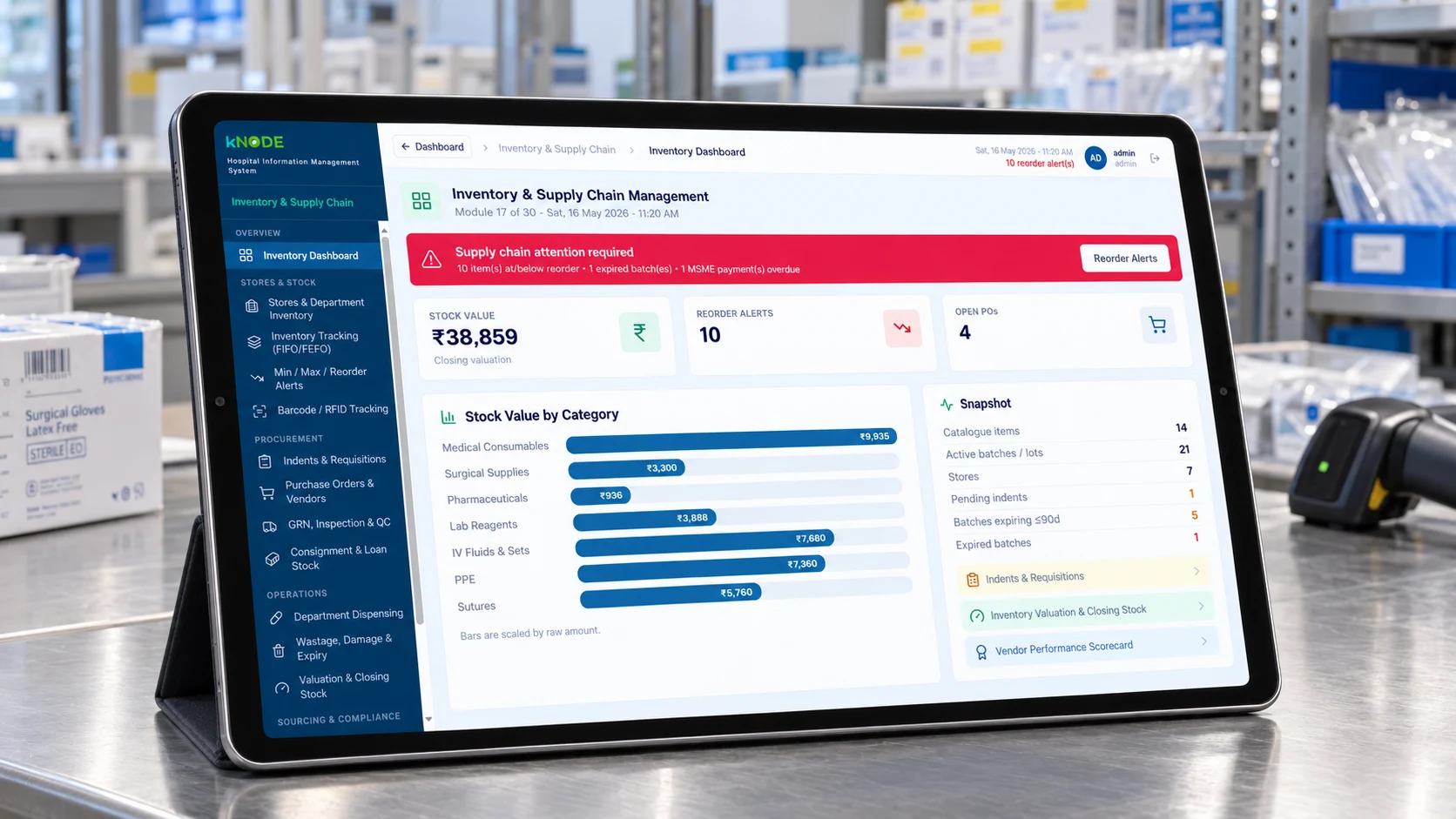
  • Central store with barcoded shelves

    KN-M15Business

    Inventory & Supply Chain Management

    Stores that never run dry, or overflow.

    • Central and sub-store management
    • Indents, purchase orders and goods receipt
    • Vendor management
    • Reorder levels and stock alerts
    • Consumption by department

    16featuresNeeds: Core

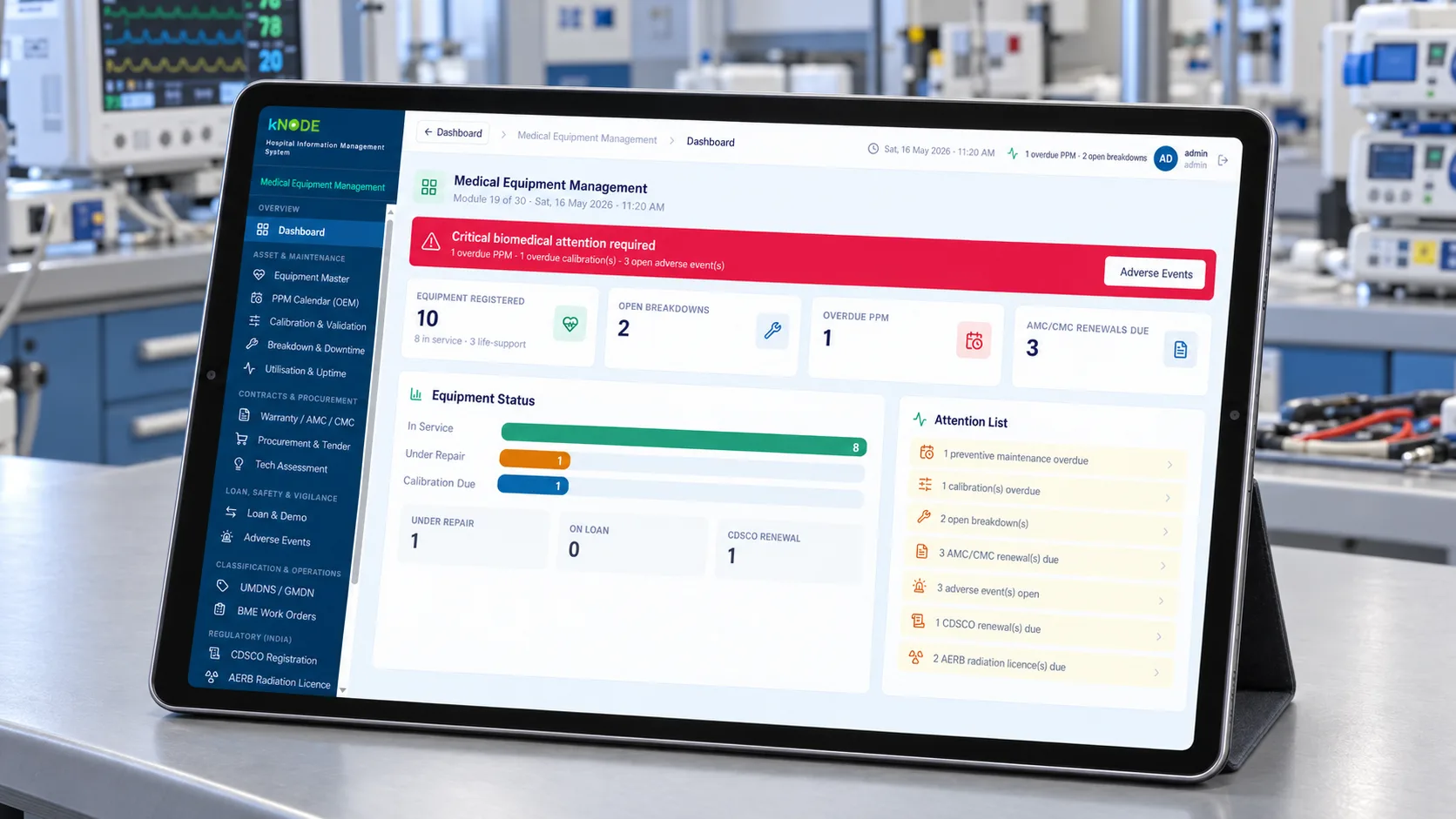
  • Biomedical engineer servicing a device

    KN-M16Business

    Medical Equipment Management

    Equipment that’s maintained, calibrated and ready.

    • Asset register for every device
    • Preventive maintenance schedules
    • Breakdown tickets and repair history
    • Calibration and service-contract tracking
    • Equipment uptime reports

    14featuresNeeds: M15

Insight Analytics and decision support

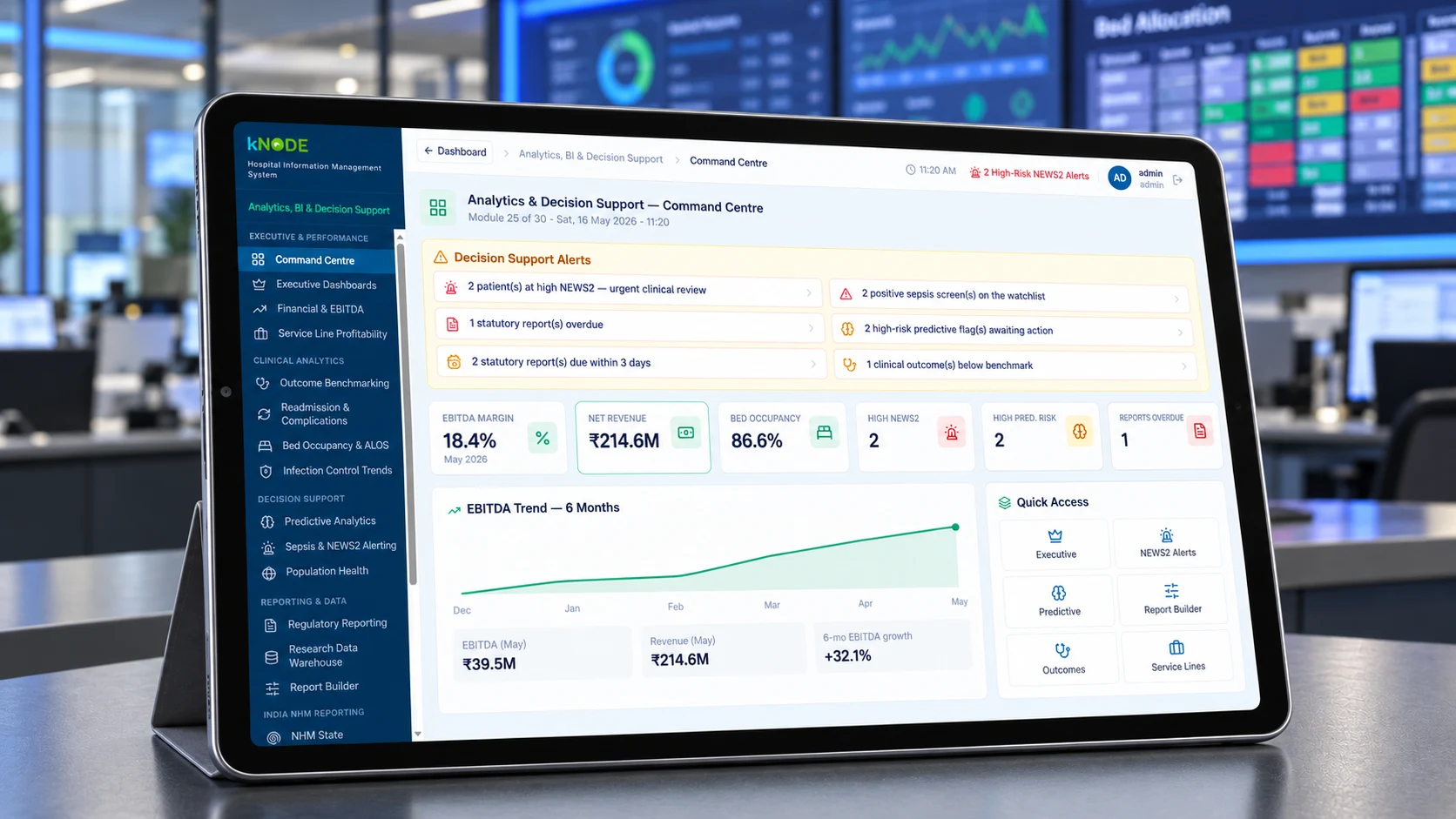
  • Leadership dashboard on a wall screen

    KN-M17Insight

    Analytics, BI & Decision Support

    The numbers leaders need, every day.

    • Executive and department dashboards
    • Site-by-site comparison
    • NHM / HMIS government reporting
    • Scheduled management reports
    • Predictive analytics and benchmarking (advanced)

    15featuresNeeds: Any module · also standalone

Spotlight

Built for how Indian hospitals really
work.

Three areas where kNODE saves the most time for doctors, billing teams and management.

EMR screen with a specialty template
Clinical

Notes in minutes, not half an hour.

Specialty templates, favourites and order sets let doctors record a full consultation quickly, while alerts help catch allergies and drug interactions.

  • Templates for every specialty
  • Orders and prescriptions from one screen
  • Discharge summary drafted from the record
Claims workspace with pre-authorisation status
Revenue

Claims that go out right the first time.

Billing, insurance and the national claims exchange work from the same record, so pre-authorisations and claims carry the right documents and codes.

  • PM-JAY, state schemes and private TPAs
  • NHCX claim submission
  • Denials tracked to settlement
Patient using Scan & Share at reception
Digital health

ABDM ready from day one.

ABHA, Scan & Share and consent-based record sharing are part of kNODE Core in every edition.

  • ABHA created and linked at registration
  • Records shared with patient consent
  • Faster check-in with Scan & Share
Inside kNODE

Designed for busy hands and long
shifts.

Clear screens on desktop, tablet and mobile, so every role finds what they need in a few taps.

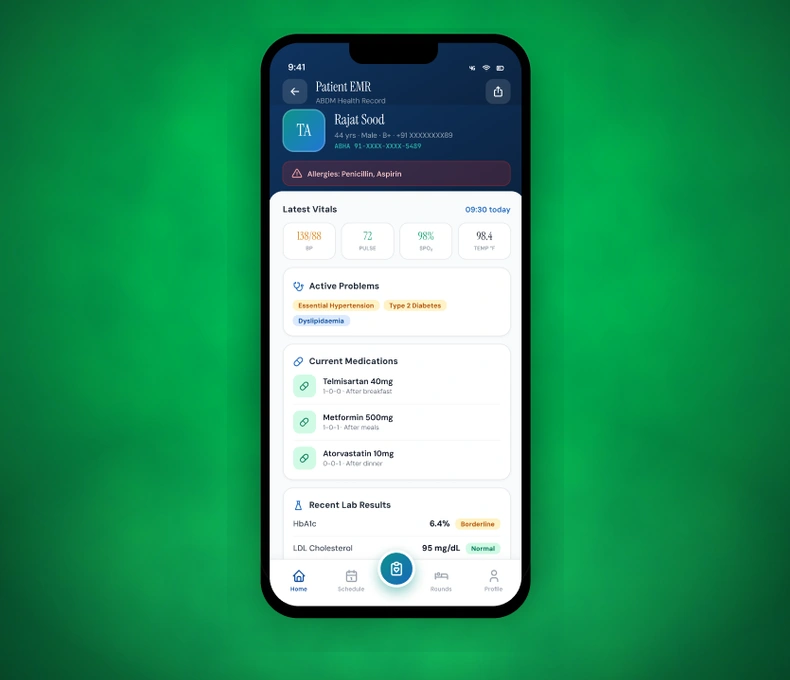
kNODE on desktop, tablet and mobile togetherMobile app: patient EMR and lab resultsHR dashboard on a tabletPharmacy stock screenFinance and insurance dashboards on tablets
Nurse with kNODE on a tablet at the bedsideHospital reception and waiting areaDoctor presenting kNODE to the hospital team
Editions

Five editions, one platform.

Choose the edition that fits your size today. Your data and settings move with you when you move up.

  • kNODE

    Essential

    Everything a clinic needs to go digital in a week.

    Clinics, polyclinics, day-care and small diagnostic centres up to 15 beds

  • kNODE

    Advance

    Run a growing hospital, claims and all.

    Nursing homes and hospitals of 16–50 beds

  • kNODE

    Enterprise

    One platform across all your hospitals.

    Corporate hospitals and chains with 200+ beds or multiple sites

  • kNODE

    Global

    kNODE, anywhere in the world.

    International hospital groups and medical-tourism hubs

ModulesEssentialAdvanceProfessionalEnterpriseGlobal
M01Patient Management
M02EMR / EHR
M03OPD & Appointments
M04Inpatient (IPD)Basic
M05Emergency & Trauma
M06Operation Theatre
M07ICU / CCU / HDU—
M08Laboratory (LIS)
M09Radiology (RIS/PACS)
M10Pharmacy
M11Nursing—
M12HR & Payroll
M13Finance & RCM
M14Insurance & TPA
M15Inventory & Supply Chain
M16Medical Equipment—
M17Analytics & BIStandardStandardAdvancedAdvancedAdvancedAdvanced
M18ABDM / ABHAIndia sites
Layer 5 · Add-ons

Extend kNODE to patients, devices and regulators.

Add-ons extend your edition, so you can turn on what you need when you need it. Some are available from Advance upward.

  • White-label patient app

    Your hospital’s own iOS and Android app for bookings, reports and ABHA linking.

  • WhatsApp & SMS

    Appointment reminders and report-ready alerts.

  • PACS storage

    Extra image storage for growing imaging departments.

  • Device interfaces

    Lab analysers and imaging machines connected over HL7 and DICOM.

  • kNODE Shield

    DPDP readiness: consent records, rights requests, breach register and retention rules.

  • NABH pack

    Support for accreditation documentation and quality indicators.

Deployment

Four ways to run kNODE.

Pick the model that suits your IT policy, connectivity and budget. Global edition customers can choose their hosting region.

  1. 1

    kNODE Cloud

    All editions

    Hosted in India and run by Veltrixair, with backups, updates and monitoring included.

  2. 2

    Private Cloud

    Professional and above

    A dedicated environment for your hospital or group, with stronger isolation and higher uptime targets.

  3. 3

    On-Premise term licence

    Advance and above

    kNODE on your own servers for a fixed term, installed and configured by Veltrixair.

  4. 4

    On-Premise perpetual

    All editions

    Own your licence outright, with an annual maintenance contract that keeps kNODE updated and compliant.

Go live with a team that has done it before.

Every implementation runs to a written scope: configuration, data migration, device interfaces, staff training and go-live support, with a clear hand-over to our support team.

  1. Scope
  2. Configure
  3. Migrate
  4. Train
  5. Go live
  6. Support
Security & privacy

Patient data, protected
by privacy specialists.

kNODE is built by Veltrixair, whose Data Privacy practice advises organisations on data-protection law, including India’s DPDP Act.

Your data is always yours

If you ever leave, you get 30 days to export everything free of charge: CSV and Excel, FHIR R4 for clinical records and DICOM for images. Data is then securely deleted and a certificate of deletion is issued.

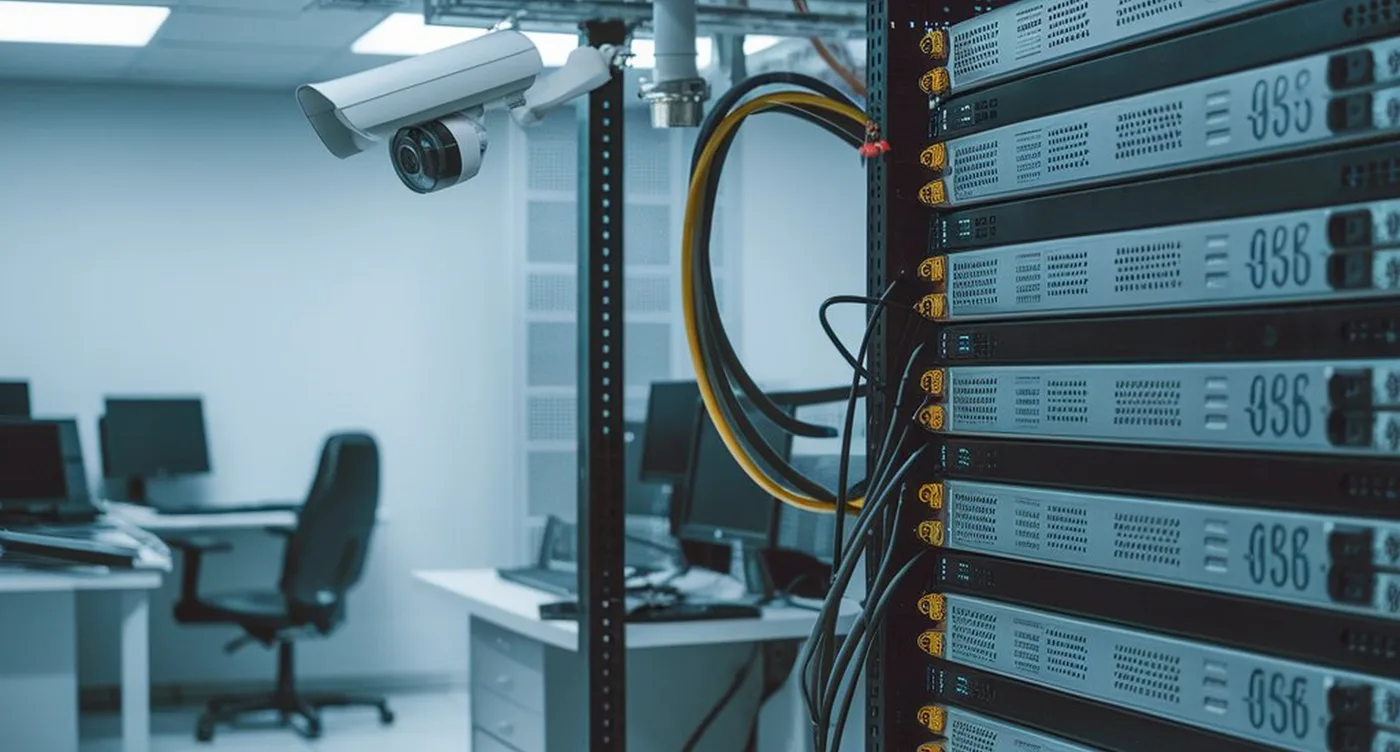
A secured hospital server room
  • Hosted in India

    kNODE Cloud data stays in India. Global customers choose their region.

  • Role-based access

    Each user sees only what their role needs.

  • Full audit trail

    Every view and change recorded, with who and when.

  • Open standards

    FHIR R4 for clinical records, DICOM for images, HL7 for devices.

  • Data Processing Agreement

    You are the data fiduciary. Veltrixair acts only as your processor.

  • 24-hour breach notice

    We tell you within 24 hours of confirming any breach.

  • Annual security tests

    Security audits and penetration tests on our cloud.

  • Privacy by design

    No patient data ever flows into our billing systems.

Support

Support that grows with you.

Every edition comes with a written service level agreement. Higher editions add longer hours, faster responses and named contacts.

  • Essential

    Chat and email, Mon–Sat 9am–6pm · 99.5% uptime SLA

  • Advance

    Adds phone support 12 hours a day, 7 days a week

  • Professional

    24×7 support, 99.9% uptime SLA and a named customer success manager

  • Enterprise

    Premium Support, custom SLAs and a named service manager

  • Global

    Elite Support with follow-the-sun coverage and a named executive sponsor

kNODE Academy

Role-based training and certification for your staff, from front office to nursing to finance, so new joiners are productive from their first shift.

Frequently Asked Questions

Do we have to buy every module?

No. Every module has its own SKU. Start with an edition or a standalone product and add modules when you are ready.

Can kNODE replace our current system?

Yes. Our team migrates your patient master and key records as part of implementation, under a written scope.

Is ABDM included?

Yes. ABHA and the ABDM connector are part of kNODE Core in every edition.

Will it work with our lab and imaging machines?

Yes. Device interfaces over HL7 and DICOM are configured by our integration team for each device model.

Can we run kNODE on our own servers?

Yes. On-premise term and perpetual licences are available, alongside kNODE Cloud and Private Cloud.

Who owns our data?

You do. Veltrixair owns the kNODE software, and you own your data, which you can export in standard formats at any time.

See the whole hospital on kNODE.Book a demo, and we’ll walk you through the modules

that matter for your hospital, with your own departments and workflows.

Book a demoTalk to our team